HOW TO USE IT
About the cover letter template for google docs
A cover letter is the one-page letter you send with your resume. It tells the hiring manager which job you want, why you fit it and what you would bring, in your own words. Many employers still ask for one, and a short, specific letter can be the reason a recruiter reads your resume closely instead of skimming it.
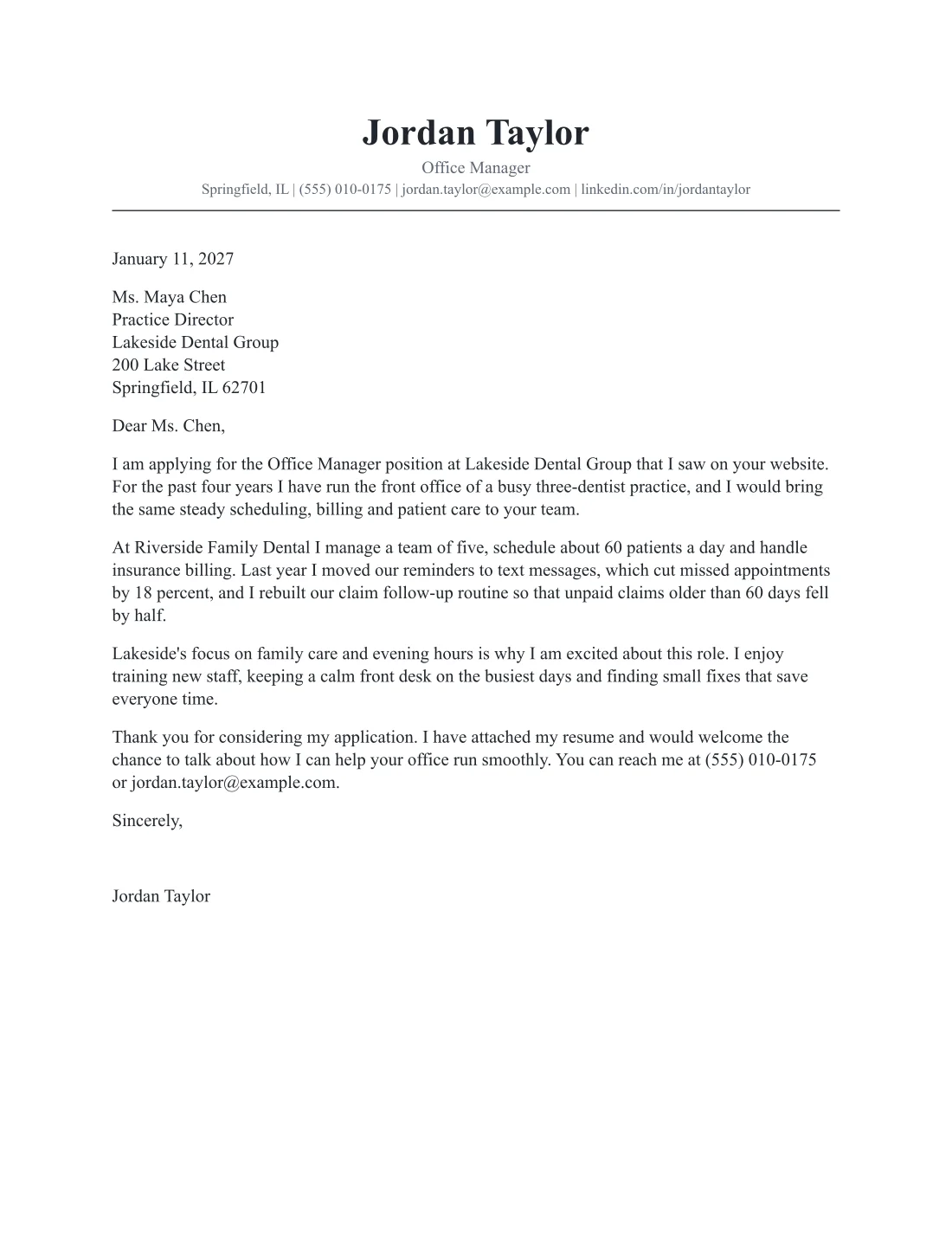
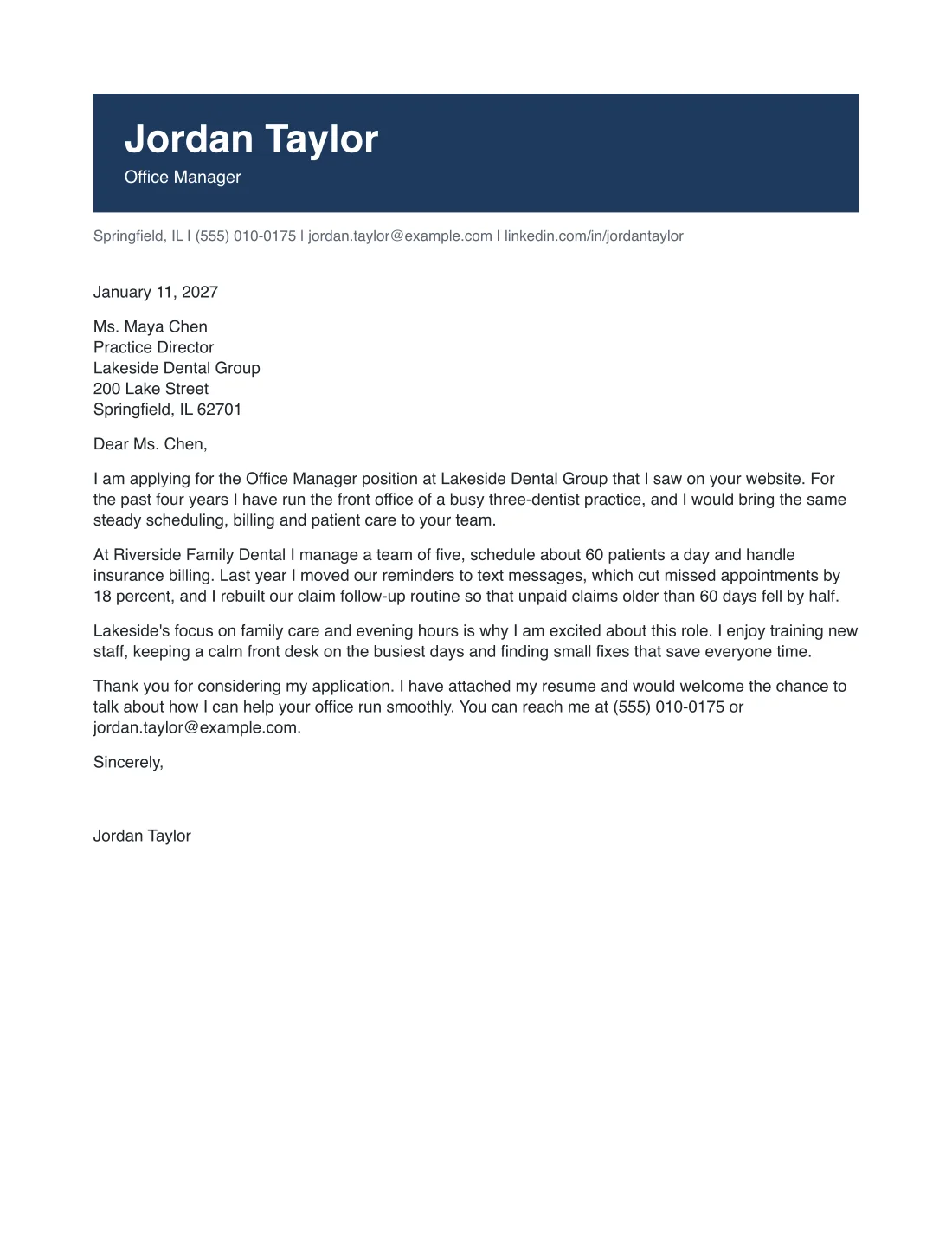
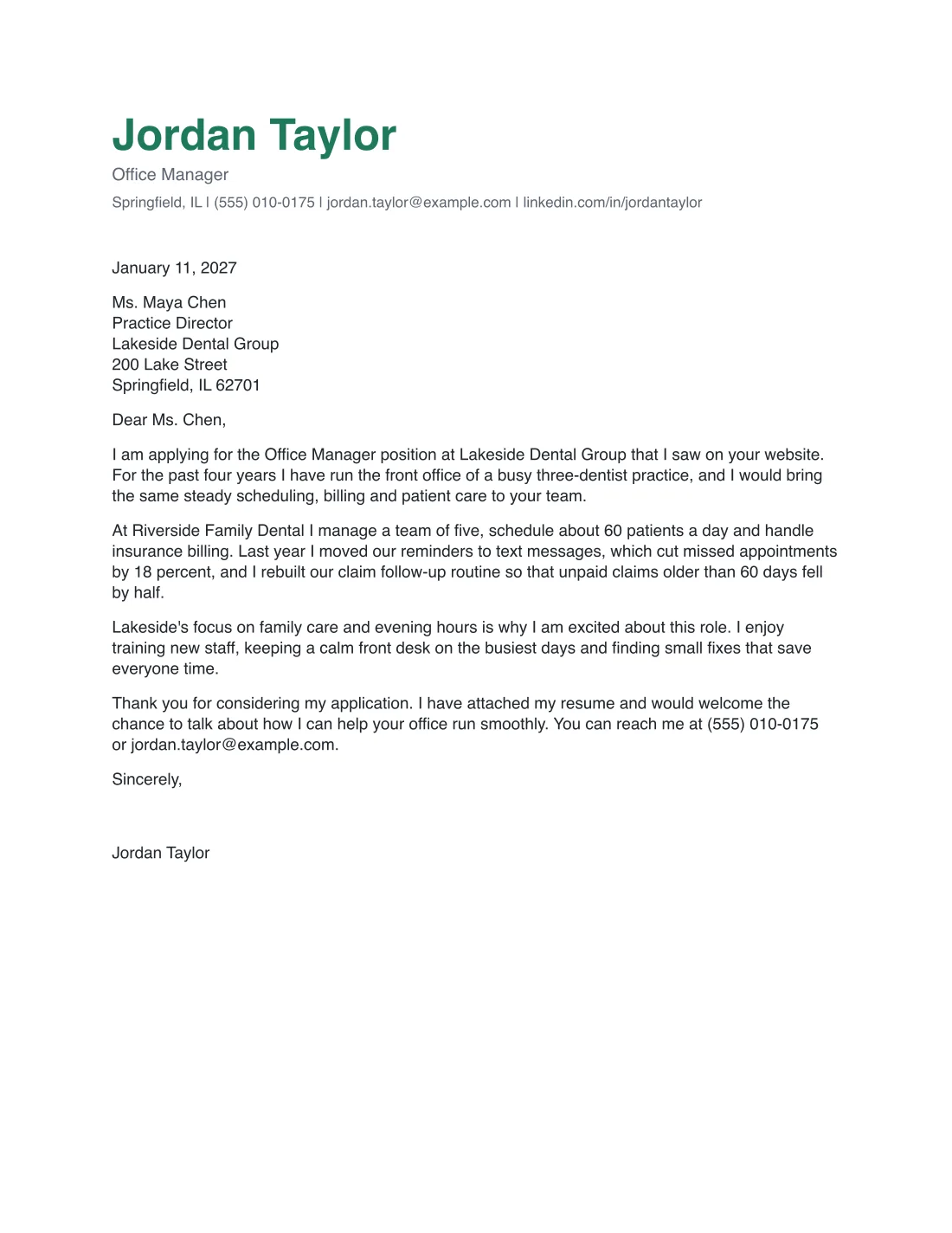
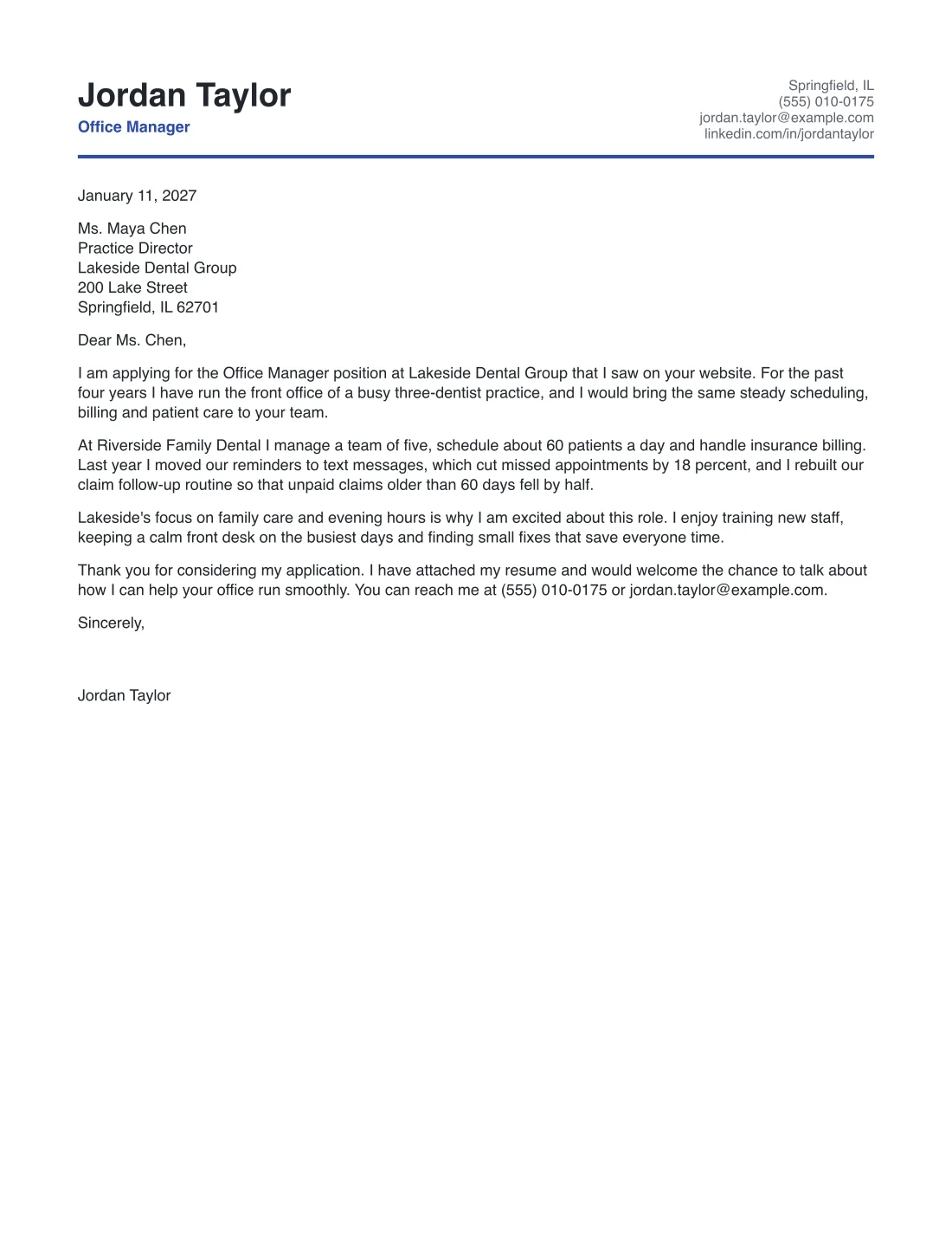
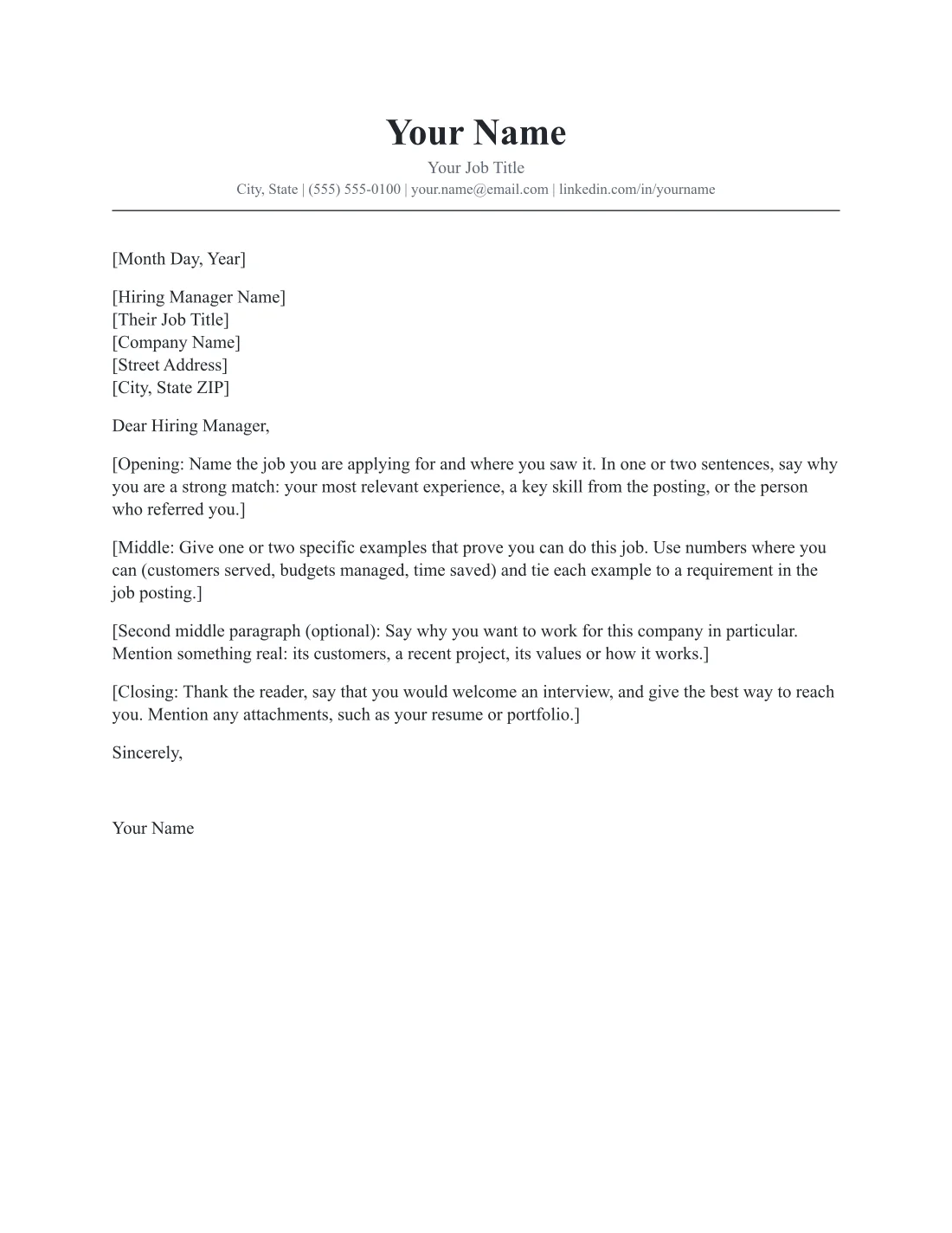
This template comes in four designs: Classic, with a centered name in a traditional serif font; Modern, with your name on a colored header band; Minimal, with a large name and plenty of white space; and Compact, with your contact details on the right so a longer letter still fits on one page. Every design uses the standard business-letter order: your contact details, the date, the employer's details, a greeting, three or four short paragraphs and your sign-off.
People who search for a Google Docs cover letter template usually want to finish and keep the letter in Google Drive. So the Word file here is built for a clean import: real paragraphs instead of text boxes, at most one simple table for the header, and only fonts that both Word and Google Docs have (Arial and Times New Roman). It opens in Google Docs with the same layout, ready to edit. This site is not affiliated with Google; Google Docs is a trademark of Google LLC and is named only to describe compatibility.
How to print your cover letter template for google docs
1. Choose a design and color
Classic suits law, finance, government and teaching jobs; Modern and Minimal suit most office, tech and creative roles; Compact is best when your letter runs long. The color applies to the header and accents only, so the letter still prints well in black and white.
2. Write it here or keep the prompts
Type your details, the employer and your paragraphs, or press Example to see a complete sample. If you leave everything empty, you get a template with bracketed prompts that explain what each paragraph should say, which you can replace in Google Docs or Word.
3. Download Word for Google Docs or a PDF
Download the Word file to edit it in Google Docs or Microsoft Word, or the PDF to send it as it is. The file is made in your browser after a short countdown, and nothing you type is uploaded.
How to open the cover letter in Google Docs
- Fastest way: open Google Docs, choose File > Open, click the Upload tab, then pick the .docx file you downloaded. It opens in Google Docs, ready to edit.
- From Google Drive: go to drive.google.com, click New > File upload and choose the file. Then double-click it in Drive; it opens in Google Docs.
- If the title bar shows a .DOCX label, you are editing the Word file directly. That works, but choose File > Save as Google Docs to get a native Google Doc with every Docs feature.
- To convert every Word file you upload automatically, turn on "Convert uploads to Google Docs editor format" in Google Drive settings on a computer.
- On a phone, upload the file to Drive first, then open it from the Google Docs app.
Save a copy and export a PDF from Google Docs
Keep one master letter in Drive and make a copy for each application (File > Make a copy), then change the company, the hiring manager and the paragraphs that explain why you fit this job. Name each copy clearly, for example "Cover letter - Lakeside Dental - Office Manager", so you can find what you sent when an interviewer asks about it.
To send a PDF, choose File > Download > PDF document (.pdf) in Google Docs. A PDF keeps your layout and fonts exactly as you see them, which is why most employers prefer it. Download a Word document (.docx) only when the job posting asks for Word, and name the file with your name, such as "Jordan-Taylor-Cover-Letter.pdf".
How to write each part of a cover letter
- Header: your name, city and state, phone, email and a LinkedIn or portfolio link. A full street address is optional today.
- Date and employer: the date you send it, then the hiring manager's name and title, the company and its address. If you send the letter by email or upload it, this block is still standard and shows care.
- Greeting: use the hiring manager's name when you can find it ("Dear Ms. Chen,"). Otherwise "Dear Hiring Manager," is fine; avoid "To whom it may concern."
- Opening paragraph: name the exact job title, where you saw it, and the one reason you are a strong match. If someone referred you, say so here.
- Middle paragraphs: one or two concrete examples with results, each tied to a requirement in the posting. Numbers help: customers served, money saved, projects delivered, people trained.
- Why this employer: a short paragraph about what draws you to this company in particular, based on something real you learned about it.
- Closing paragraph: thank the reader, ask for an interview, and repeat the best way to reach you. Mention your attached resume.
- Sign-off: "Sincerely," followed by your typed name. On a printed letter, leave room to sign by hand above your typed name.
Length and formatting tips
- Keep it to one page: about 250 to 400 words in three or four paragraphs. If it runs over, switch to the Compact design or cut the weakest example.
- Use one readable font at 10 to 12 points, left-aligned text and margins between about 0.7 and 1 inch. Every design here already follows these rules.
- Match the header of your resume: the same name, contact details and, ideally, the same font, so the two pages look like one application.
- Write a new opening and middle for every job. Reusing a generic letter is the most common reason cover letters get ignored.
- Proofread the company name, the job title and the hiring manager's name twice. Read the letter out loud once to catch missing words.
Is this cover letter ATS-friendly?
Applicant tracking systems (ATS) read the text of your files, so layout tricks can hide words from them. These designs keep every word in normal paragraphs: no text boxes, images, columns, headers or footers, and the contact details sit in the body of the page where software reads them. The Modern and Compact headers use a single simple table, which applicant tracking systems and Google Docs both handle.
For the content, mirror the language of the job posting where it is true for you: if the posting asks for "insurance billing" or "project scheduling", use those words rather than synonyms. When an online form gives you a plain text box instead of an upload button, copy the letter text from Google Docs and paste it in; the paragraphs stay intact.
Which design should you choose?
| Design | Look | Good for |
|---|---|---|
| Classic | Centered name, serif font (Times New Roman), thin rule | Law, finance, government, education, conservative employers |
| Modern | Name in white on a colored band, Arial | Office, healthcare administration, tech, sales |
| Minimal | Large colored name, generous white space, Arial | Creative, marketing, startups, design-minded employers |
| Compact | Name left, contact details right, tighter margins | Longer letters, career changers, senior roles |
Sample cover letter
Here is the sample letter from the Example button, written for an office manager job. Use it to see the tone and level of detail that works, then replace every sentence with your own experience.
Dear Ms. Chen,
I am applying for the Office Manager position at Lakeside Dental Group that I saw on your website. For the past four years I have run the front office of a busy three-dentist practice, and I would bring the same steady scheduling, billing and patient care to your team.
At Riverside Family Dental I manage a team of five, schedule about 60 patients a day and handle insurance billing. Last year I moved our reminders to text messages, which cut missed appointments by 18 percent, and I rebuilt our claim follow-up routine so that unpaid claims older than 60 days fell by half.
Lakeside's focus on family care and evening hours is why I am excited about this role. I enjoy training new staff, keeping a calm front desk on the busiest days and finding small fixes that save everyone time.
Thank you for considering my application. I have attached my resume and would welcome the chance to talk about how I can help your office run smoothly. You can reach me at (555) 010-0175 or jordan.taylor@example.com.
Sincerely, Jordan Taylor