HOW TO USE IT
About the fax cover sheet template
A fax cover sheet is the first page of a fax. It tells the person at the other machine who the fax is for, who sent it, how many pages to expect and what to do with them, so the pages reach the right desk in a shared office. Medical offices, law firms, schools, insurance companies and government agencies still ask for faxes every day, and most of them expect a cover sheet on top.
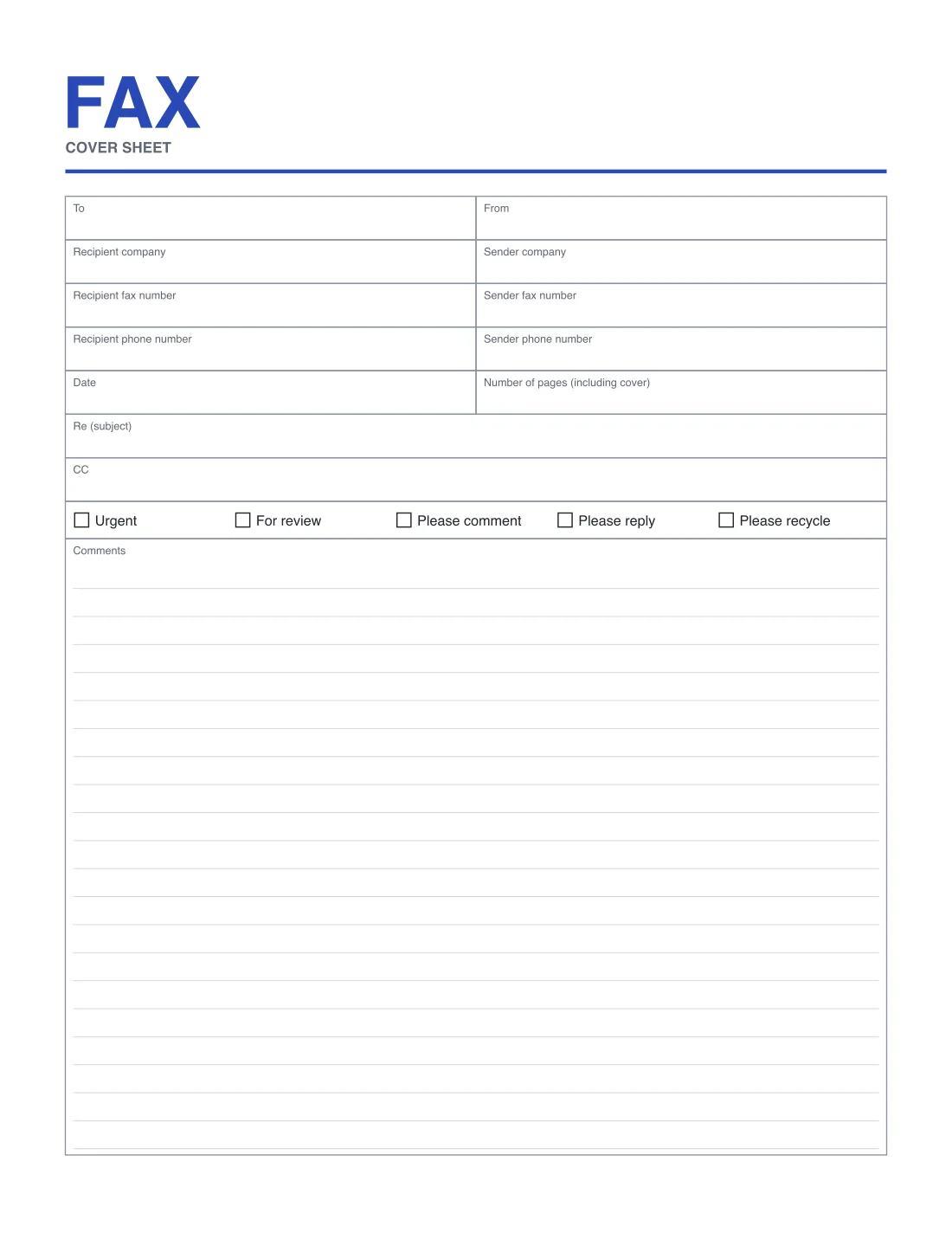
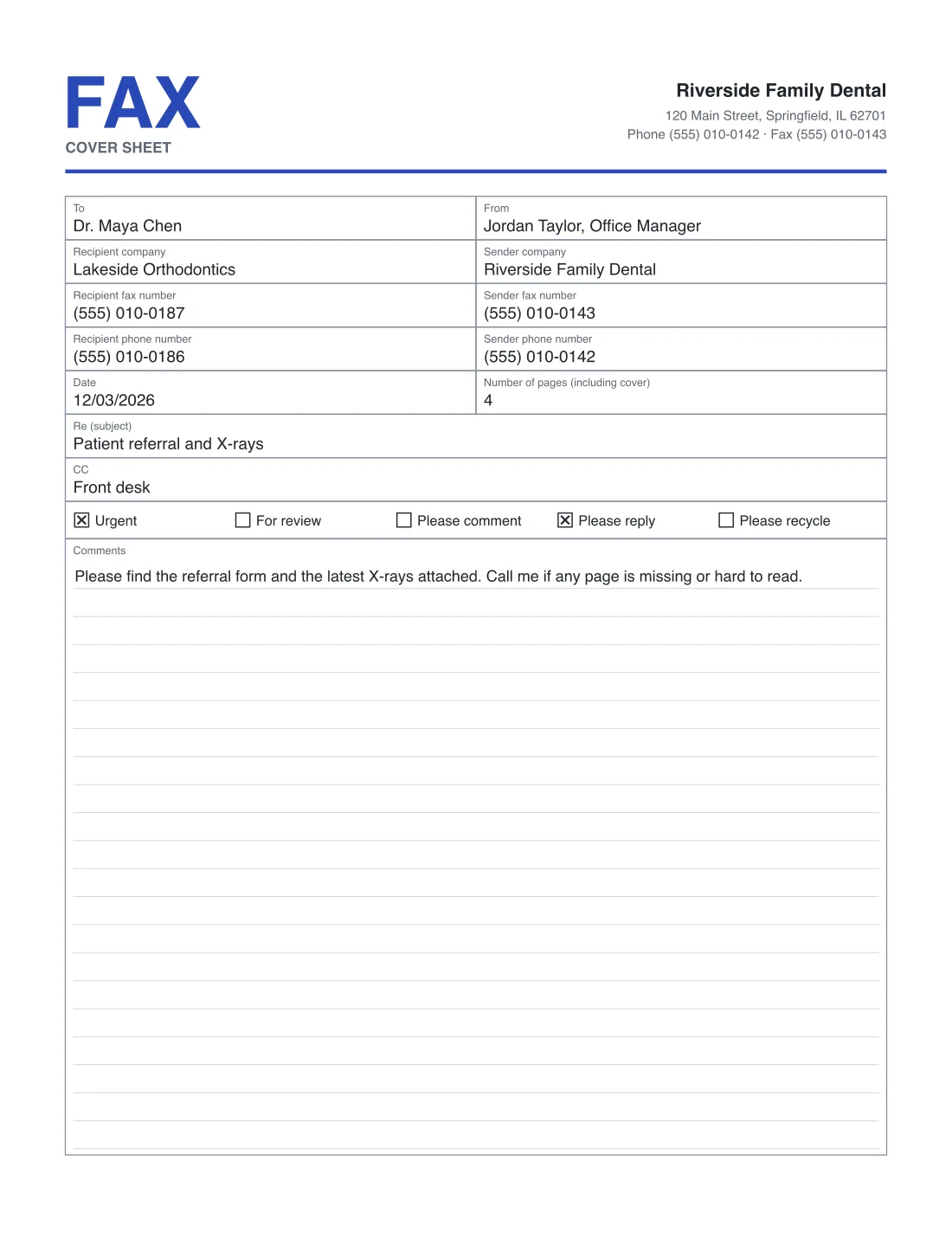
This template has every field people look for: to and from, recipient and sender company, fax and phone numbers, date, number of pages including the cover, a subject (Re) line, CC, five checkboxes (urgent, for review, please comment, please reply, please recycle) and a large comments area. You can add your own letterhead at the top, and the confidential design adds a short notice at the bottom.
Everything is made in your browser. Type the details to have them printed on the sheet, or leave the fields empty and print a stack of blank cover sheets to keep next to the fax machine. The Word download is a real, editable document laid out in tables, so you can keep filling it in on your computer.
How to print your fax cover sheet template
1. Choose a design and color
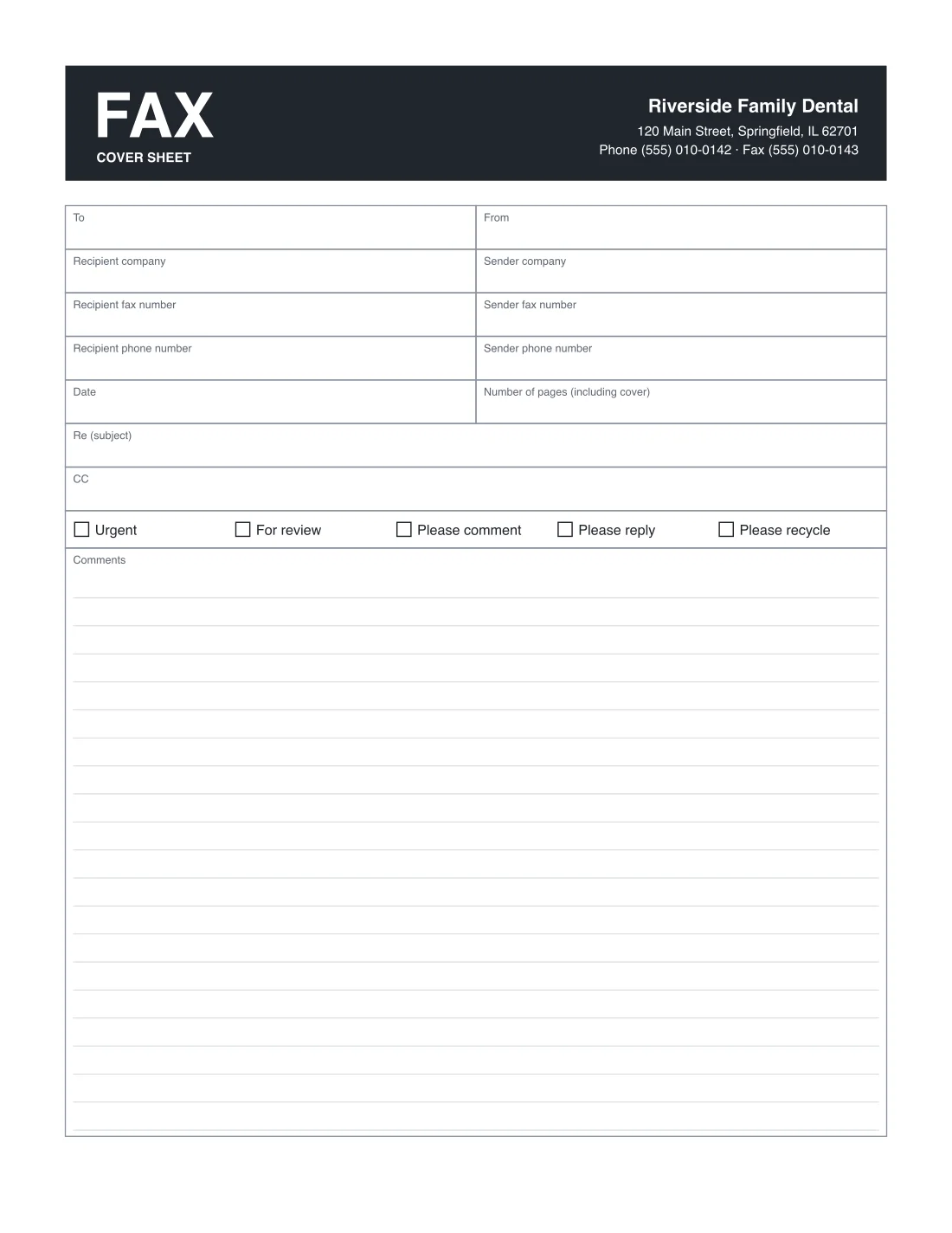
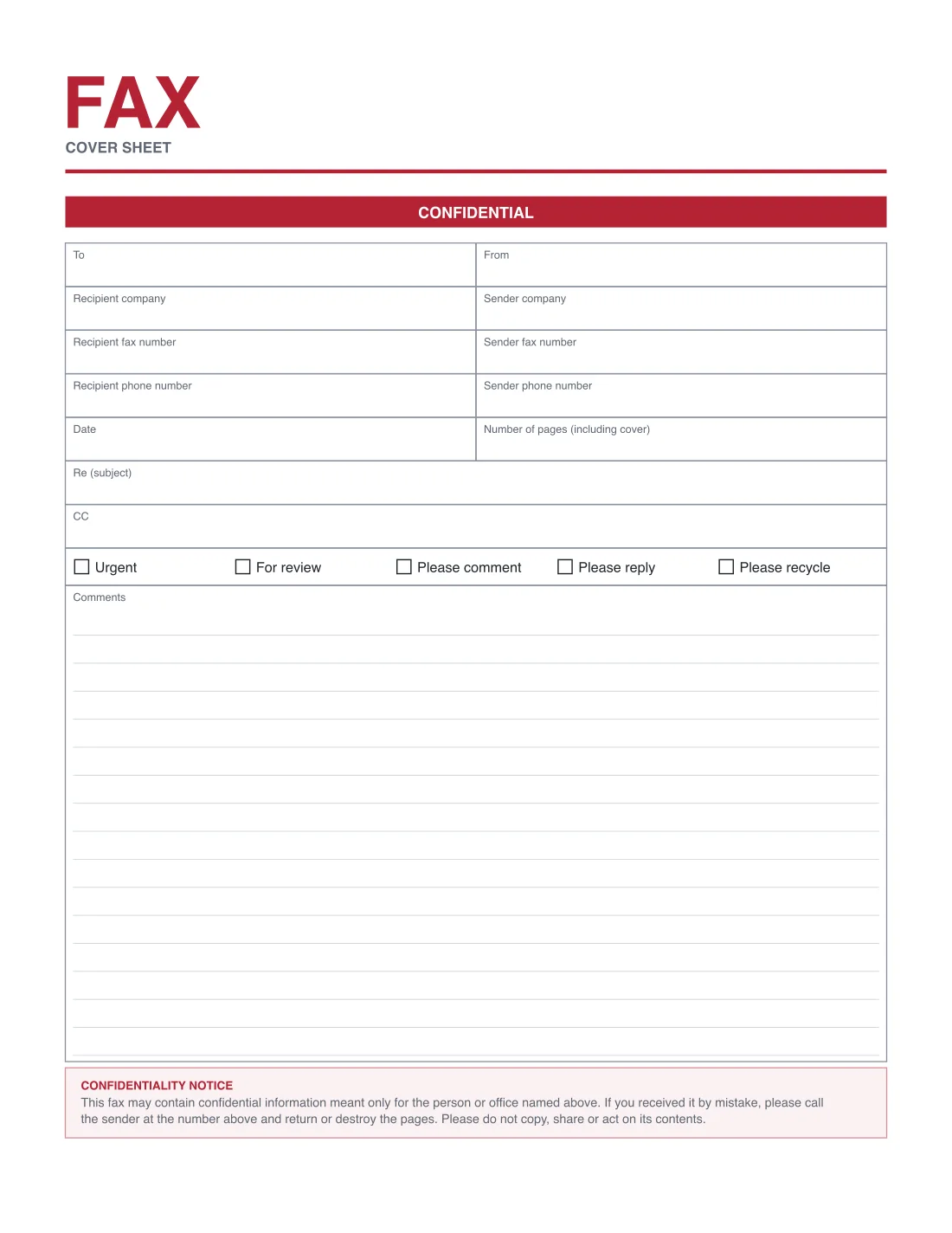
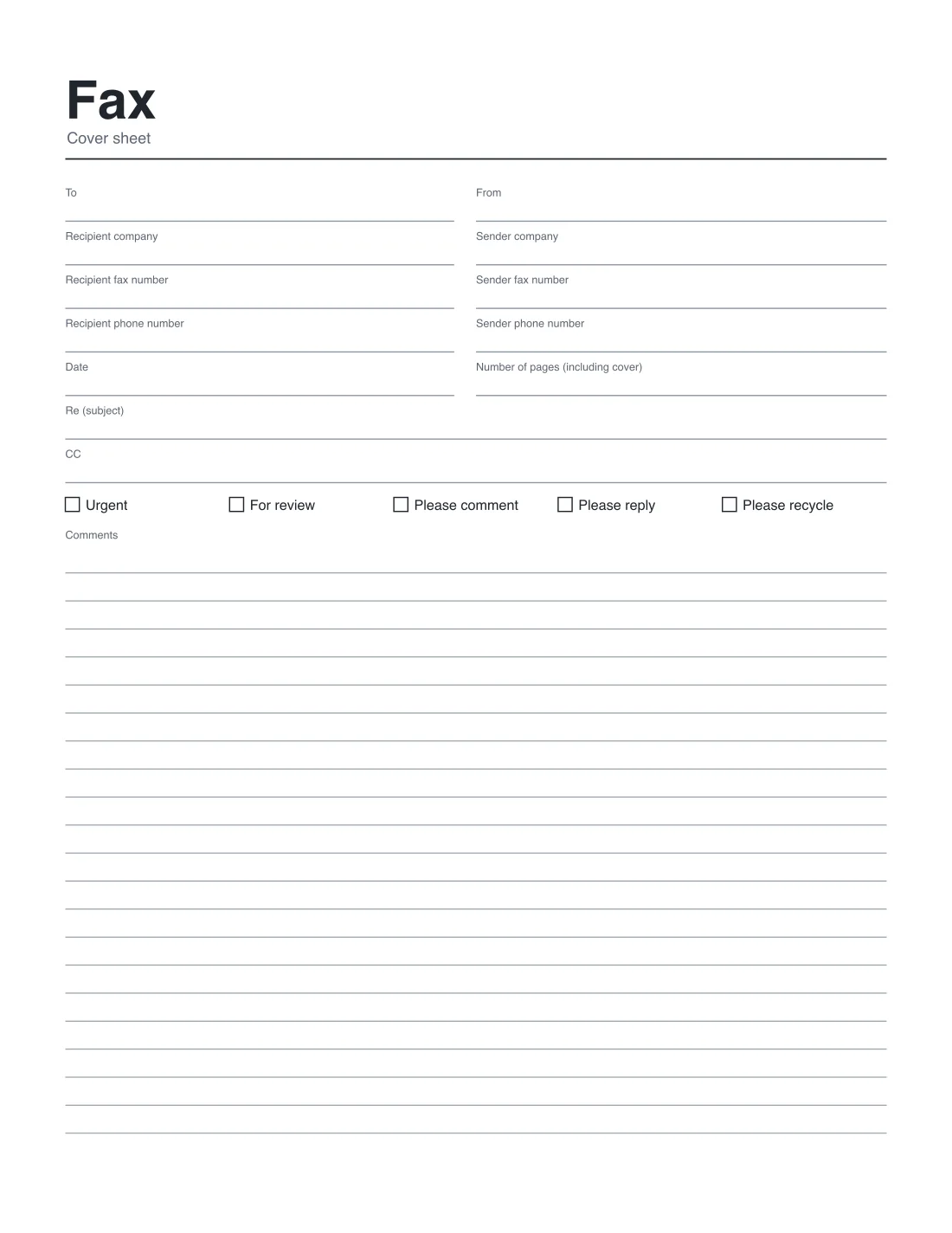
Standard has a large FAX heading and boxed fields, Professional puts your company name in a dark header band, Confidential adds a banner and a confidentiality notice, and Simple uses clean lines that copy and fax well. Pick blue, green, red or black, and US Letter or A4.
2. Fill it in or keep it blank
Type your company name and contact line for the letterhead, then the recipient, sender, numbers, date, page count and subject. Tick the checkboxes that apply and write a short message in Comments. Anything you leave empty prints as a blank box to write in by hand.
3. Download Word or PDF and send
Download the PDF to print or attach it to an online fax, or the Word file to edit later. Print at 100% ("Actual size"), put the cover sheet on top of your pages, and count it in the page total so the recipient knows the fax arrived complete.
What to put on a fax cover sheet
- To and recipient company: the person or department the fax is for, so it does not sit on a shared machine.
- From and sender company: your name and organization, which is also who the recipient calls with a question.
- Fax and phone numbers for both sides: the recipient can reply by fax or call if a page is missing or unreadable.
- Date: the day you send it, which matters for deadlines, claims and records.
- Number of pages, including the cover sheet: the simplest way for the recipient to check that every page arrived.
- Re and CC: a short subject (an account, case, claim or order number) and anyone else who should get a copy.
- Checkboxes and comments: urgent, for review, please comment, please reply or please recycle, plus a few lines on what the pages are and what you need back.
Which fax cover sheet design to use
| Design | Best for | What is different |
|---|---|---|
| Standard | Everyday office and personal faxes | Large FAX heading, boxed fields and an optional letterhead at the top right |
| Professional | Business and company faxes | Your company name, address and phone in a dark header band |
| Confidential | Medical, legal, HR and financial pages | CONFIDENTIAL banner and a short notice box at the bottom |
| Simple | Writing by hand and low-ink printing | Clean lines instead of boxes, black by default |
Confidential faxes and sensitive information
The confidential design prints a short notice asking anyone who receives the fax by mistake to call the sender and return or destroy the pages. The notice is written in general terms and is a courtesy request, not a legal guarantee: it cannot undo a misdirected fax, and the rules that apply to your information depend on your industry and state.
If you send health, financial or personnel records, follow your organization's own procedures, including any HIPAA privacy and security policies your office uses. Good habits help in every office: confirm the fax number before you send, call ahead so someone is waiting at the machine, keep the cover sheet free of sensitive details (put them on the pages that follow), and keep the confirmation report your machine or online fax service gives you.
How to fill in the Word fax cover sheet
The Word file is built from tables, the same layout as the PDF. Click into a box and type: each field has its label above the space for your entry, and the table keeps everything lined up when you add text. Click a checkbox to tick it. Save a copy with your letterhead filled in, and you have a reusable company fax cover sheet template that you can update in seconds.
The document opens in Microsoft Word, and it also works in Google Docs, Apple Pages and LibreOffice. When you are done, print it or choose Save as PDF (or Download as PDF in Google Docs) to attach it to an online fax.
Sending a fax today
- Fax machine or multifunction printer: place the cover sheet on top, face down or face up as your machine shows, and dial the full number including any prefix your office needs for an outside line.
- Online fax service: most services let you upload a PDF; upload the cover sheet as the first page, or merge it with your document before sending.
- From a computer or phone: save the filled-in cover sheet as a PDF and send it with your pages in one file, so the recipient prints them in order.