HOW TO USE IT
About the nonprofit budget template
A nonprofit budget is the board-approved plan for how the organization will raise and spend money during its fiscal year. It shows funders that the organization knows what its programs cost, it gives staff spending limits, and at the end of the year it becomes the yardstick for the board's review of actual results.
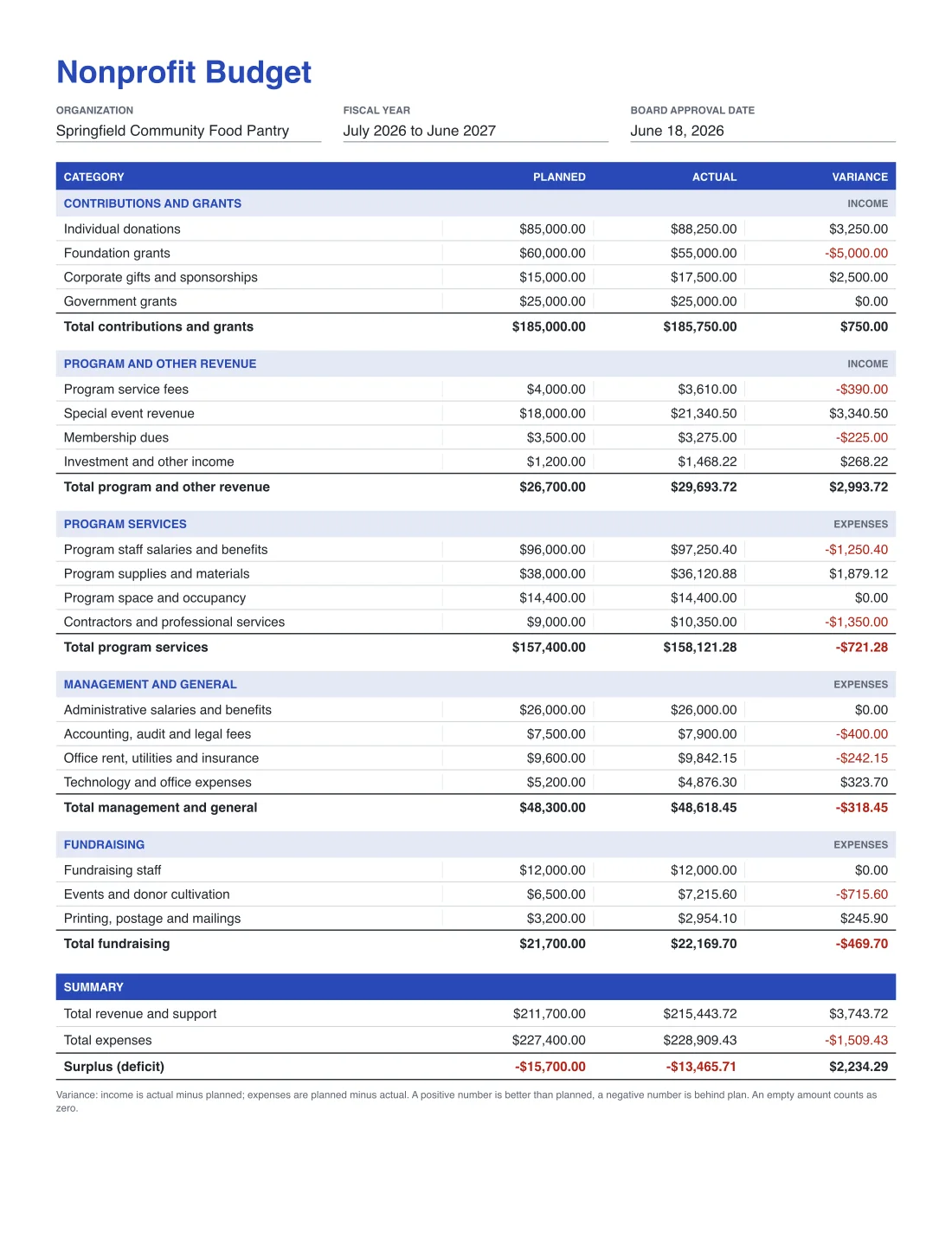
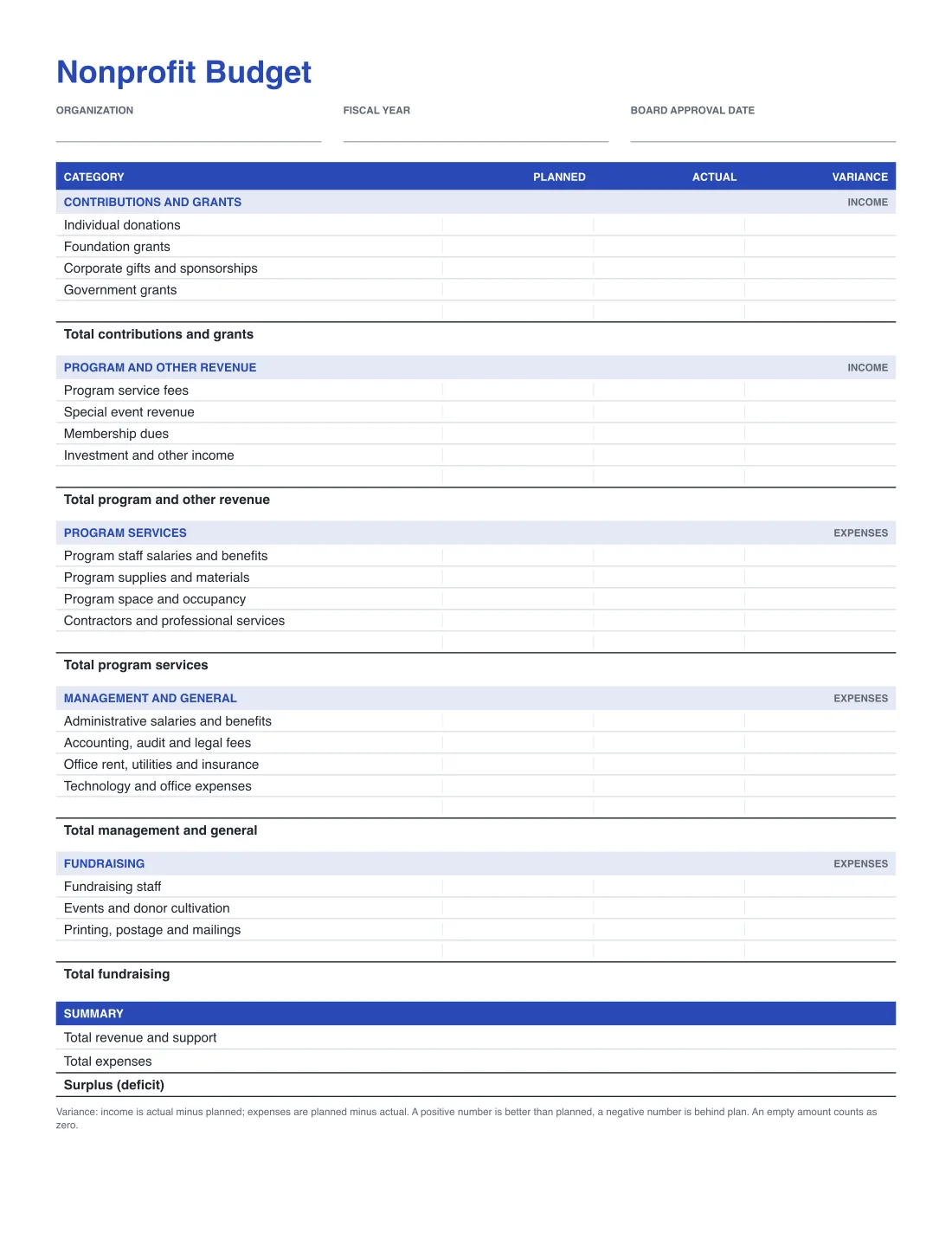
This template splits income into contributions and grants (individual donations, foundation and government grants, corporate gifts) and program and other revenue (fees, events, dues, investment income). Expenses are grouped by function: program services, management and general, and fundraising. Every line has planned, actual and variance columns, each group has a subtotal, and the summary shows total revenue and support, total expenses and the surplus or deficit.
Grouping expenses by function from the start saves work later. Funders often ask what share of spending goes to programs, and organizations that file Form 990 report their expenses in the same three functional columns.
How to print your nonprofit budget template
1. Enter the organization and fiscal year
Add your organization's name, the fiscal year (for example July 2026 to June 2027) and the date the board approved the budget. Rename the lines to match your chart of accounts and your main programs.
2. Plan revenue by source and expenses by function
Count only grants that are awarded or highly likely, and spread multi-year grants over the years they fund. Put each expense in the function it serves; split shared costs such as rent or the executive director's salary across functions using a reasonable method you document.
3. Track actuals for the board
Enter actual amounts each month or quarter and download the Excel file for board packets. The variance column shows the treasurer and the finance committee where the year is running ahead of or behind the plan.
Functional expenses: program, management and general, fundraising
The IRS instructions for Form 990, Part IX (Statement of Functional Expenses), describe three functions. Program services are the activities that carry out the organization's exempt purpose. Management and general covers overall operations and management, such as the board, accounting, the executive director's oversight and general administration. Fundraising covers soliciting contributions, gifts and grants, including campaigns, events and grant writing.
The instructions say that section 501(c)(3) and 501(c)(4) organizations filing Form 990 must complete all three functional columns, and that when the accounting system does not allocate expenses, the organization can use any reasonable method of allocation and document it. Shared costs are typical: if a program manager spends most of her time on programs and some on a fundraising event, split her salary the same way in the budget.
Revenue and support: what goes where
- Individual donations: annual fund, online giving, recurring donors and major gifts.
- Foundation and government grants: plan the amount for this fiscal year only, and note restrictions such as a grant that may be spent only on one program.
- Corporate gifts and sponsorships: sponsorships of events often come with benefits to the sponsor; budget the gross amount and the event costs separately.
- Program service fees, membership dues and special event revenue: earned income that usually depends on attendance or participation, so plan it conservatively.
- In-kind contributions: donated goods and services are easy to forget; add a line if they are significant so the budget shows the full cost of your programs.
Nonprofit budgets and Form 990
Most tax-exempt organizations file an annual information return with the IRS. According to the IRS, organizations other than private foundations that normally have gross receipts of $50,000 or less may file Form 990-N (the e-Postcard) instead; larger organizations file Form 990-EZ or Form 990 depending on their size. Check the IRS pages for the thresholds and deadlines that apply to your organization each year.
A budget is not a tax form, but keeping the same categories makes the year-end return easier. If your budget lines line up with your accounting categories and the functional split, your accountant can move the actual figures into Part IX with little rework. State charity regulators can have different reporting rules, so check your state's requirements too.
Use the nonprofit budget in Excel, Google Sheets or Numbers
- Excel: open the .xlsx file directly. Totals, subtotals and variance are live formulas, so they update as soon as you change an amount.
- Google Sheets: in Google Drive click New > File upload, then open the file with Google Sheets, or use File > Import in a blank spreadsheet. The formulas carry over.
- Numbers on Mac, iPhone and iPad: open the file and Numbers converts it, formulas included.
- Insert rows inside a group (not below its subtotal) and the SUM formulas grow with them. Type amounts as plain numbers; the dollar format is applied for you.
- For board meetings, share the Google Sheets version with the treasurer and finance committee and download a PDF of the current figures for the board packet.
Tips for a budget the board can approve
- Show last year's actual results next to this year's plan in a separate copy, so board members can see the changes that need explaining.
- Budget a realistic surplus or a planned use of reserves; a budget that always shows exactly zero rarely survives the year.
- Note restricted grants and what they may pay for, so restricted money is not counted toward general operating costs.
- Keep the program share honest. Funders compare it, but under-budgeting management and fundraising leaves the organization without the people and systems that keep programs running.