HOW TO USE IT
About the business budget template
A business budget is your plan for the money coming in and going out over a month, a quarter or a year. Written down, it tells you how much you can spend on payroll, rent and marketing before you spend it, and it gives you a yardstick: when the month closes, you compare the actual numbers with the plan and see exactly where you were over or under.
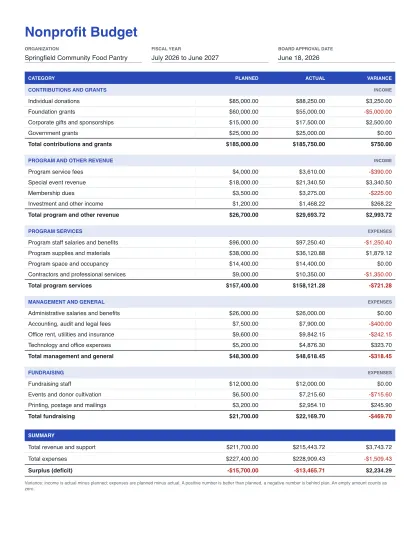
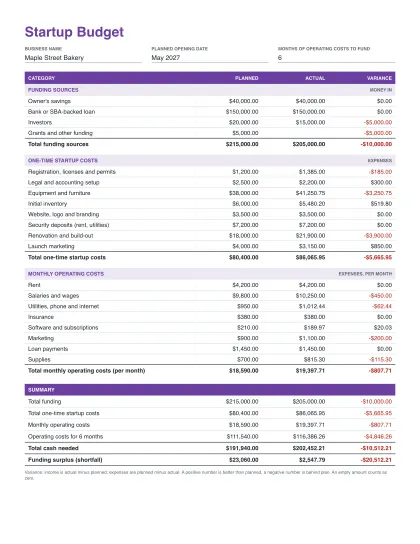
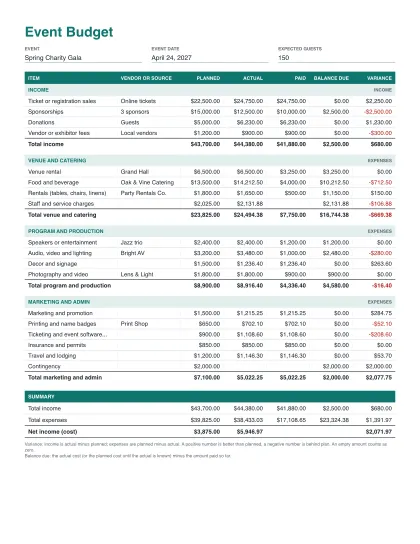
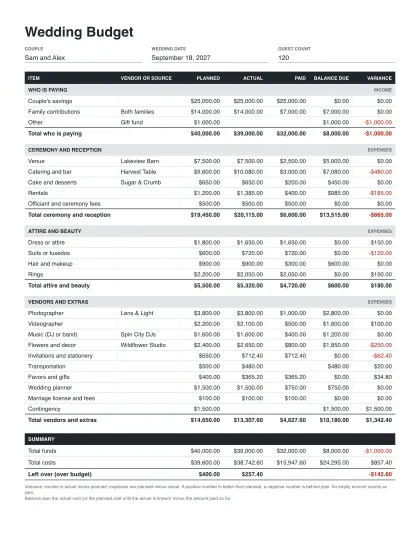
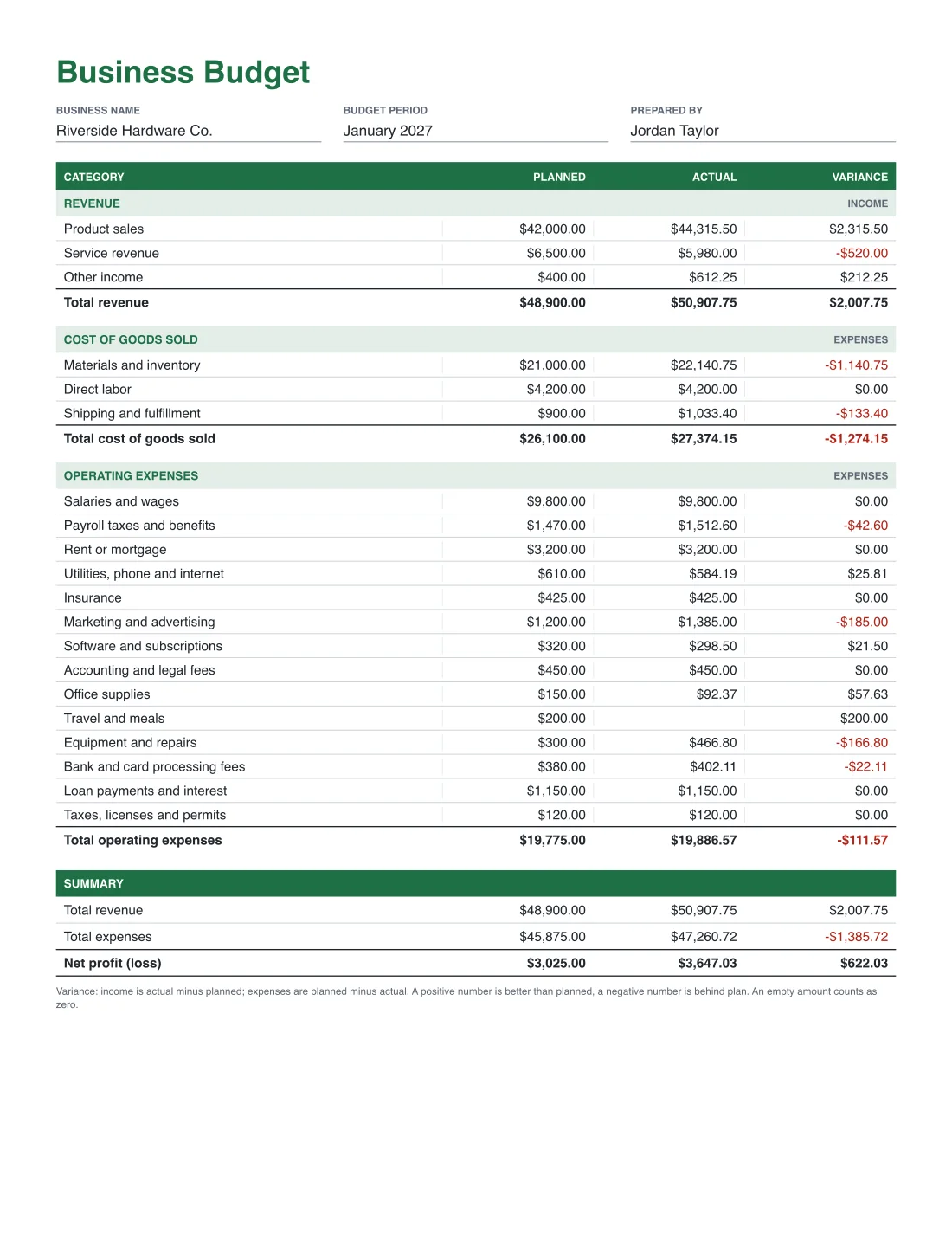
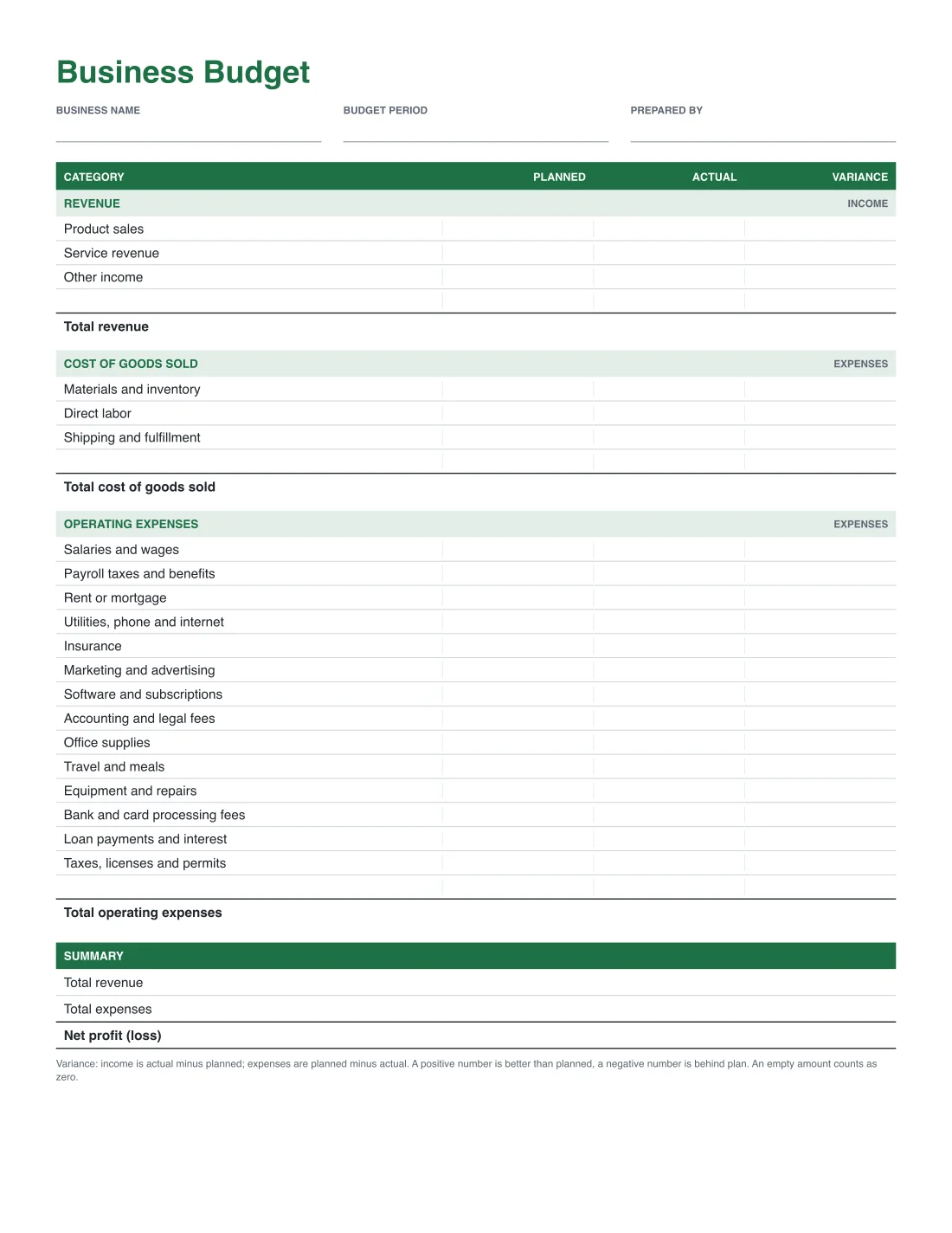
This template follows the order of a simple profit and loss statement. Revenue comes first (product sales, services and other income), then cost of goods sold (materials, direct labor, shipping), then 14 common operating expenses from salaries to taxes and licenses. Every line has a planned and an actual amount and a variance, each group has a subtotal, and the summary shows total revenue, total expenses and net profit or loss.
You can rename every category, add rows and remove the ones you do not need. Type amounts here to see the totals right away, or leave them blank and print a clean budget to fill in by hand. The Excel download keeps the same layout with live formulas, so it keeps working as a spreadsheet after you download it.
How to print your business budget template
1. Set the period and your categories
Enter your business name and the budget period, such as January 2027 or fiscal year 2027. Rename the suggested categories to match the accounts your bookkeeping already uses, so the actual numbers are easy to copy over each month.
2. Fill in planned amounts
Start from last year's actual figures if you have them, then adjust for known changes: a rent increase, a new hire, a price change. For revenue, plan conservatively; for expenses, include everything you are committed to.
3. Add actuals and read the variance
After the period closes, enter the actual amounts from your books or bank statements. Positive variance means better than planned (more revenue, lower costs); negative, shown in red, means behind plan. Download the Excel file to keep the budget live.
What to include in a small business budget
- Revenue: every source of income, split the way you want to track it, for example by product line, service or sales channel.
- Cost of goods sold: the costs that rise and fall with each sale, such as materials, inventory, direct labor and shipping. Revenue minus these costs is your gross profit.
- Fixed operating expenses: rent, salaries, insurance, software and loan payments that stay about the same every month.
- Variable operating expenses: marketing, travel, supplies, repairs and card processing fees that change with your activity.
- Taxes, licenses and permits, and a small contingency line if your costs are hard to predict.
How to read planned vs actual variance
The variance column answers one question per line: did this help or hurt compared with the plan? For revenue it is actual minus planned, so selling more than planned gives a positive number. For expenses it is planned minus actual, so spending less than planned gives a positive number. Because both follow the same "positive is good" rule, the variances add up: the variance on net profit equals the sum of all the line variances.
Look first at the biggest red numbers, not at every small difference. A large negative variance on a single line usually has a simple story behind it (a one-time repair, a price increase from a supplier, a slow sales month) and tells you whether to adjust the plan or the spending. Lines that are off every month in the same direction mean the plan itself needs updating.
Monthly vs annual business budgets
Most small businesses budget for the year and track month by month. A practical way to do that with this template is to save one copy per month (for example "Budget 2027-01") with the monthly plan, then fill in the actuals when you reconcile your books. An annual copy with yearly totals helps when you talk to a lender or update your business plan.
Seasonal businesses should not divide the annual plan by 12. Plan each month from its own history: a garden center or a tax preparer earns most of its revenue in a few months and needs the budget to show how the quiet months are covered.
Use the budget in Excel, Google Sheets or Numbers
- Excel: open the .xlsx file directly. Totals, subtotals and variance are live formulas, so they update as soon as you change an amount.
- Google Sheets: in Google Drive click New > File upload, then open the file with Google Sheets, or use File > Import in a blank spreadsheet. The formulas carry over.
- Numbers on Mac, iPhone and iPad: open the file and Numbers converts it, formulas included.
- Insert rows inside a group (not below its subtotal) and the SUM formulas grow with them. Type amounts as plain numbers; the dollar format is applied for you.
- Keep the workbook next to your bookkeeping: copy each month's actual totals from your accounting software or your profit and loss statement into the Actual column.
Budget, profit and loss statement and business plan
A budget looks forward; a profit and loss statement looks back. Use the same categories in both, and at the end of each month copy the actual figures from your profit and loss statement into the budget. Lenders and investors usually ask for a business plan with financial projections, and a realistic budget is the starting point for those projections.
Keep the receipts, invoices and bank statements behind your actual numbers. The IRS explains which business records to keep and for how long; good records make both your budget and your tax return easier.