HOW TO USE IT
About the event budget template
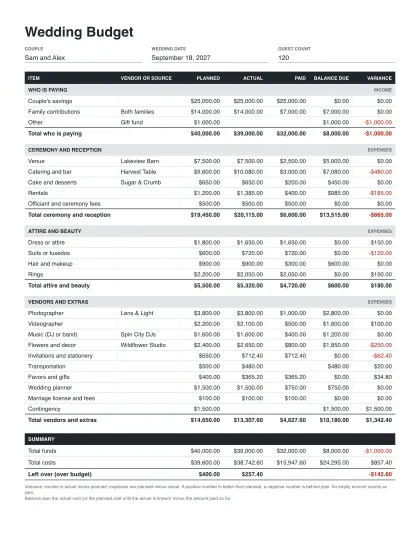
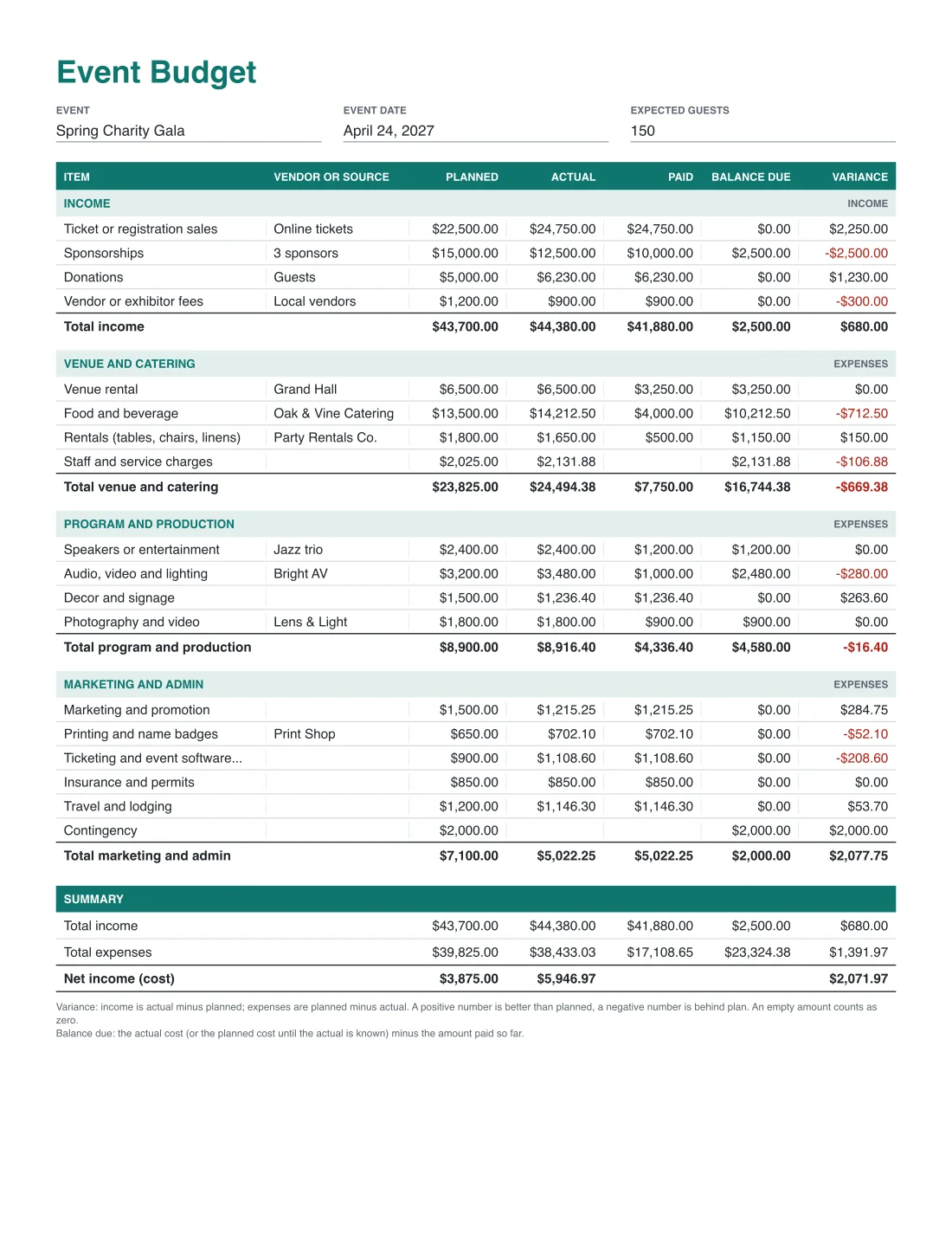
An event budget keeps every number for one event in one place: what you expect to bring in, what each vendor will cost, how much you have already paid in deposits and what is still owed before the day. Event costs arrive in pieces (a venue deposit months ahead, catering by guest count a week before, overtime on the night), so a budget with a paid and a balance due column is what keeps the final bill from being a surprise.
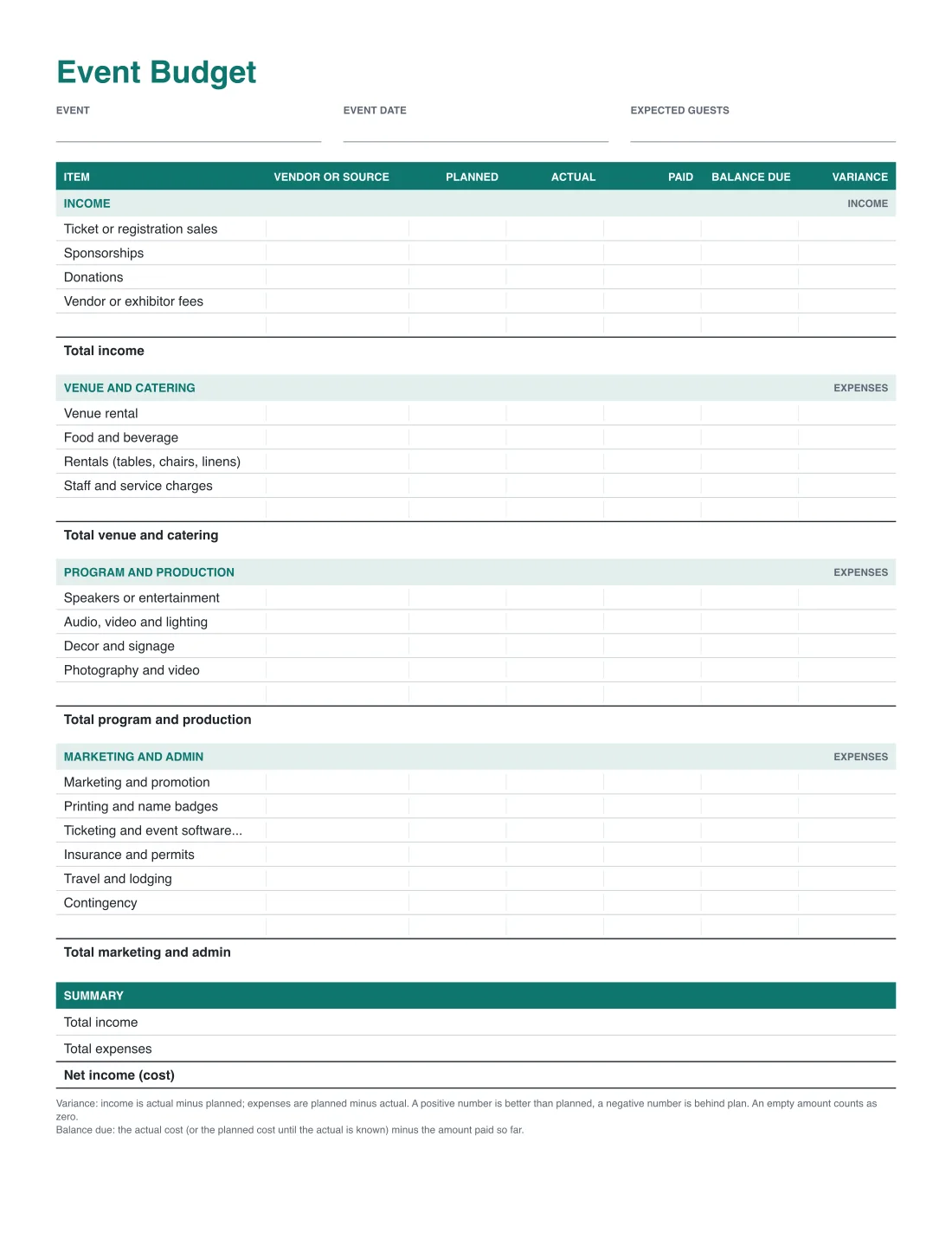
This template starts with income (ticket or registration sales, sponsorships, donations, exhibitor fees), then three expense groups: venue and catering, program and production, and marketing and admin, with a contingency line. Each line has a vendor or source, planned and actual amounts, the amount paid, the balance due and the variance. The summary shows total income, total expenses, what is paid and due, and the event's net income or cost.
For an internal event with no income, simply leave the income lines empty: the net shows the total cost of the event, ready for whoever approves the spending.
How to print your event budget template
1. Enter the event, date and expected guests
Guest count drives most costs, from catering to rentals and badges. Rename the categories to fit your event, and add a line for each vendor you book.
2. Plan each cost and record quotes and deposits
Enter the planned amount from your first estimate, then the actual amount once the vendor's contract or final invoice is in. Record each deposit in Paid; the balance due updates and shows what you still owe and to whom.
3. Settle up and review after the event
Pay the remaining balances, enter the final actual amounts and income, and read the variance. Download the Excel file to share with your team or committee, or a PDF for the final report.
What to include in an event budget
- Venue rental, plus the costs that come with it: service charges, security, cleaning, setup and teardown time.
- Food and beverage per guest, with tax and gratuity; check the minimum spend in the catering contract.
- Rentals (tables, chairs, linens, staging), audio, video and lighting, and power for outdoor events.
- Speakers, entertainment and their travel, plus photography and video.
- Marketing, printing, name badges and signage, ticketing and payment processing fees.
- Insurance and permits, which some venues and cities require, and a contingency of roughly 5 to 10 percent.
Deposits paid and balance due
Most vendors ask for a deposit to hold the date and the rest shortly before or after the event. In this template, the balance due for each line is the actual cost minus what you have paid; until the actual cost is known, it uses the planned cost. That way the Balance due column always shows a realistic amount still to pay, and its total tells you how much cash you need in the final weeks.
Write the due dates into your calendar as you book, and keep each signed contract and receipt with the budget. If a vendor's final invoice is higher than the quote, compare it with the contract before you pay.
Budgeting a fundraising event or a sponsored conference
For a fundraiser, the number that matters is the net: income minus every cost of the event. Plan income conservatively (not every invited guest buys a ticket) and count in-kind donations and sponsorships only once they are confirmed. For sponsorships, use the Paid column for money received, so the balance due shows pledges that are still outstanding.
For a conference, plan per-attendee costs (catering, badges, materials) separately from fixed costs (venue, AV, speakers). That makes it easy to see your break-even attendance: the number of paid registrations at which income covers the costs.
Use the event budget in Excel, Google Sheets or Numbers
- Excel: open the .xlsx file directly. Totals, subtotals and variance are live formulas, so they update as soon as you change an amount.
- Google Sheets: in Google Drive click New > File upload, then open the file with Google Sheets, or use File > Import in a blank spreadsheet. The formulas carry over.
- Numbers on Mac, iPhone and iPad: open the file and Numbers converts it, formulas included.
- Insert rows inside a group (not below its subtotal) and the SUM formulas grow with them. Type amounts as plain numbers; the dollar format is applied for you.
- Share the Google Sheets copy with your event committee so the person who books each vendor can update its actual cost and deposit.